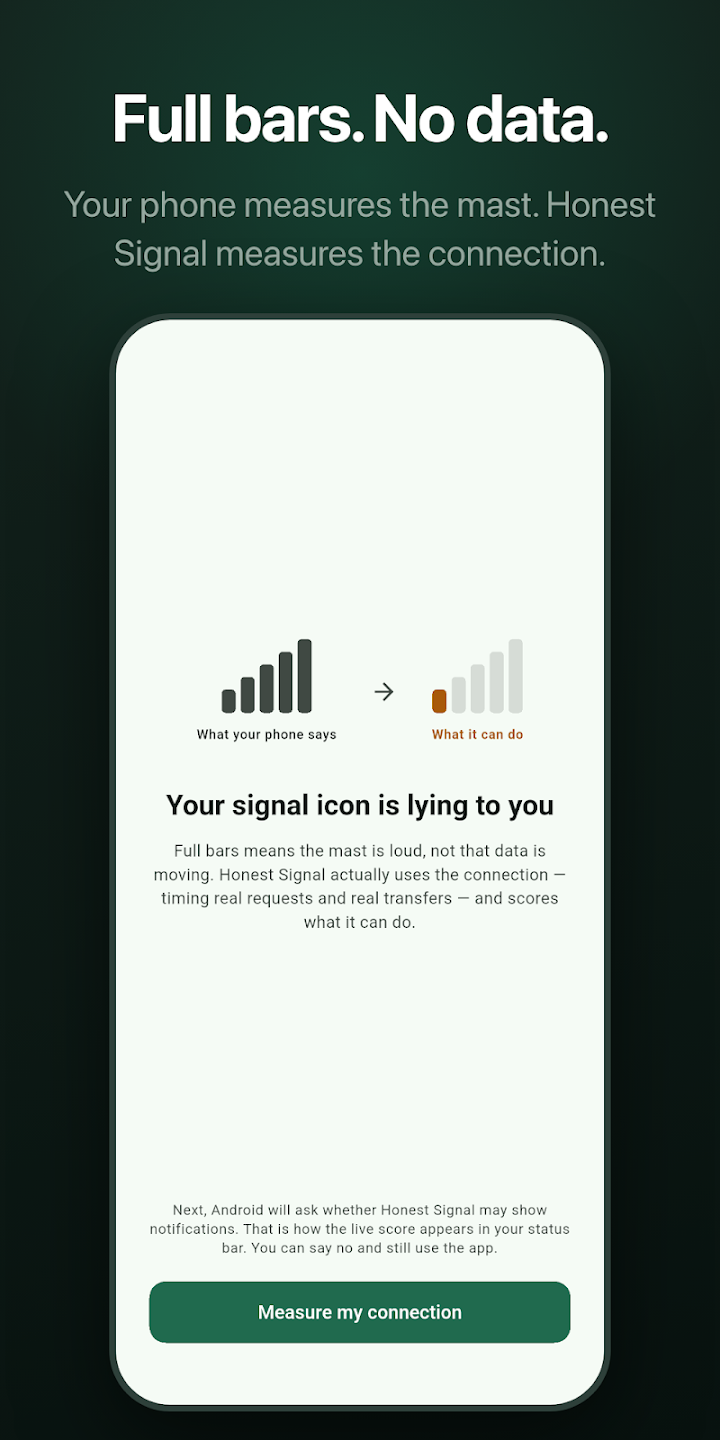
Your signal icon reports how loudly the nearest mast is shouting. It says nothing about whether data is moving. Honest Signal sends real requests, times them, downloads a real sample, and scores what your connection can actually do — 0 to 5 bars that mean something.
Every reading comes from real requests made and timed on your own device. Nothing is inferred from signal strength, nothing is estimated from your carrier, and nothing is fetched from a server that claims to know how your line is doing.
Four small HTTPS requests to public connectivity-check endpoints, timed end to end, with cache-busting so a stale reply cannot fake a 2 ms round trip on a dead link. The median gives latency, the spread gives jitter, the failures give loss.
On a slower clock, roughly 120 KB is pulled and timed, with connection setup discounted. This is the part a radio-strength icon cannot fake: if bytes will not move, the score cannot pass 2 bars, no matter how quickly the probes came back.
Four sub-scores are blended by weight into 0–5 bars, with caps that stop a fast-but-broken link scoring well. On Android the result lives in your status bar as an ordinary-looking signal icon, next to the one that is lying to you.
On Android the indicator is a real status-bar icon whose shape is the current score, updated by a foreground service. One silent, ongoing notification — and never any other kind.
Median latency, jitter, lost probes, throughput, network type — and how old the reading is, in words, on the home screen. Real units, tabular figures, no gauges and no scanning theatre.
25 MB a day by default, adjustable from 5 to 250 MB on the free tier too. The counter is on the home screen, and when the budget is spent the transfer sample pauses while the cheap probes carry on.
A small draggable overlay that shows the live score over whatever app is struggling, which is the only moment the number is genuinely useful. Tap to open, long-press to switch off, off by default.
The last hour and the last 24 hours as a step chart with summary statistics, so “the wifi goes weird around six” stops being a hunch. Stored on your device, pruned automatically.
No analytics, no crash reporting, no advertising, no accounts, no backend. The probes are anonymous HTTPS requests carrying no identifier to endpoints your phone already contacts by itself.
These are the exact verdicts the app shows next to the bars — not marketing bands, but the wording on screen. The last two cards are the failure signatures a radio-strength icon happily reports as full bars.
No usable connection
Barely usable
Slow
Workable
Good
Excellent
Full bars, no data
Captive portal
Because the bars are not measuring the internet. They measure radio strength — how loudly the nearest mast or router is shouting at your phone. A mast can be a hundred metres away and perfectly audible while the link behind it is saturated, while your router has quietly lost its uplink, or while a hotel captive portal swallows every request you make. Full strength, nothing moving.
Honest Signal measures the connection instead: it makes real requests, times them, downloads a real sample, and scores what the link can actually do. Here is the whole method. The app shows the same thing on its own “How the score works” screen, because a number that claims to be honest has to show its working.
If two probes fail and none has succeeded, the cycle stops there. The answer is already known and you should not wait eight seconds to be told it.
| Component | Curve | Full marks | Zero |
|---|---|---|---|
| Latency | logarithmic | ≤ 40 ms | ≥ 600 ms |
| Jitter | logarithmic | ≤ 15 ms | ≥ 200 ms |
| Throughput | logarithmic | ≥ 15 Mbps | ≤ 100 kbps |
| Lost probes | linear | 0% | ≥ 50% |
The three timing curves are logarithmic because the difference you feel between 40 ms and 80 ms is far larger than the difference between 500 ms and 540 ms. Loss is linear: the first dropped request matters as much as the last.
| Component | Weight |
|---|---|
| Lost probes | 30% |
| Latency | 30% |
| Throughput | 25% |
| Jitter | 15% |
The composite is the weighted sum divided by the weights actually present, so a cheap latency-only cycle is not punished for skipping the transfer sample. A throughput reading can be carried over for up to five minutes — flagged as stale on screen while it is — and then expires rather than being reused for ever.
| Score | Composite |
|---|---|
| 5Excellent | 0.85 and above |
| 4Good | 0.68 – 0.85 |
| 3Workable | 0.50 – 0.68 |
| 2Slow | 0.32 – 0.50 |
| 1Barely usable | 0.15 – 0.32 |
| 0No usable connection | below 0.15 |
A latency probe is about 700 bytes of headers, so a full four-probe cycle costs roughly 2.8 KB. The transfer sample costs about 120 KB and runs on a far slower clock — at most every 90 seconds with the app open, at most every 10 minutes in the background on Android. The daily budget defaults to 25 MB and is adjustable between 5 MB and 250 MB on every tier, free included.
The budget is a hard stop rather than a guideline, and its counter sits on the home screen instead of being buried in settings. When it is spent the latency probes keep running — you still get a reading — and only the 120 KB transfer sample pauses until local midnight. This is deliberately not a speed test: a speed test answers “how fast is this right now, if I spend 200 MB finding out”. Honest Signal answers “is this connection working”, all day, for almost nothing.
The measurement, the score, the metrics and the Android status-bar indicator are all free and always will be. Pro buys the extras, once, with no subscription behind it.
The whole measurement engine and the live indicator.
History, the floating bubble, custom intervals and indicator themes.
Price shown in GBP; the app always shows your own storefront's price, never a hardcoded one. Pro is a one-time purchase, not a subscription — there is nothing to cancel.
Radio strength is cheap to measure and easy to draw, which is why every phone has shown it since the 1990s. It is also very nearly useless: it describes the first hop and nothing beyond it, so it stays at five bars through a saturated cell, a dead router uplink, a captive portal, and an ISP outage alike.
Honest Signal was built to answer the question the icon cannot: is data actually getting through, right now, and how badly is it struggling? It publishes its method rather than asking to be trusted, tells you how old every reading is, admits in plain words that iOS will not let it measure while the app is closed, and costs a few kilobytes a cycle to run. There is no account, no server, and nothing to collect.
Bytes of personal data collected. No analytics, no crash reporting, no accounts, no backend — nowhere for it to go.
Cost of a full four-probe latency cycle. The 120 KB transfer sample runs on a far slower clock.
One-time Pro unlock, and the only money the app will ever ask you for. No subscription, no ads, no upsell afterwards.
Because bars measure radio strength — the link between your phone and the nearest mast or router — and nothing past it. Everything that usually breaks is past it: a cell whose backhaul is saturated, a router that has lost its uplink, a hotel or airport captive portal intercepting your requests, or an outage at your ISP. In all four cases the radio link is perfect, so the icon shows five bars while nothing loads. Honest Signal ignores the radio and measures whether data actually moves.
No, and it is deliberately not one. A speed test answers “how fast is this right now, if I spend 200 MB finding out”, and you run it occasionally. Honest Signal answers “is this connection working” continuously, for a few kilobytes a cycle, and puts the answer where you can see it without opening anything.
A four-probe latency cycle costs about 2.8 KB. The 120 KB transfer sample runs at most every 90 seconds with the app open and at most every 10 minutes in the Android background. The daily budget defaults to 25 MB, is adjustable from 5 to 250 MB on every tier, and is a hard stop: when it is spent the transfer sample pauses until local midnight while the cheap probes keep going.
No. iOS does not allow apps to draw in the status bar, and it does not let them keep measuring once they are closed — so on iPhone the live measurement runs while the app is open, and the home screen always tells you how old the reading is. Once a reading is more than two minutes old the app says outright that iOS has stopped it measuring, rather than leaving a stale number looking live. The status-bar indicator and the floating bubble are Android features.
Because on Android the status-bar indicator is a notification — its small icon is the live score. That is the feature, not an engagement channel. The app posts exactly one ongoing, silent notification and never sends any other kind, and declining the permission leaves everything inside the app working normally.
Because that is the Android permission for drawing anything above another app, which is what a floating score is. It is Pro-only and off by default, the permission is never requested until you switch the feature on, and the bubble is about the size of a status-bar icon, shows nothing but the score, and can be dismissed with a long press. You can revoke the permission in Android settings at any time.
None. There is no analytics, no crash reporting, no advertising SDK, no account and no backend of any kind — both stores' privacy labels read “no data collected”. The probes are anonymous HTTPS requests carrying no identifier or cookie, sent to public connectivity-check endpoints run by Google and Cloudflare, which are the same ones your phone already polls to detect captive portals. Those operators see the originating IP address, exactly as they would for any web request; the privacy policy says so rather than pretending the traffic is invisible.
The work is a handful of small HTTPS requests on an interval you control — five minutes by default in the Android background, and the background loop pauses entirely while the app is on screen so the same reading is never paid for twice. There is no location, no wake-lock-heavy processing and no continuous radio use.
No. Pro is a single £2.99 purchase that unlocks history, the floating bubble, custom sampling intervals and the indicator themes permanently. It restores on a new device, and the price you see in the app always comes from your own storefront rather than being hardcoded.
Honest Signal is free to download, with a one-time £2.99 Pro unlock. No ads, no tracking, no accounts — and the whole scoring method published above, so you never have to take the number on faith.